
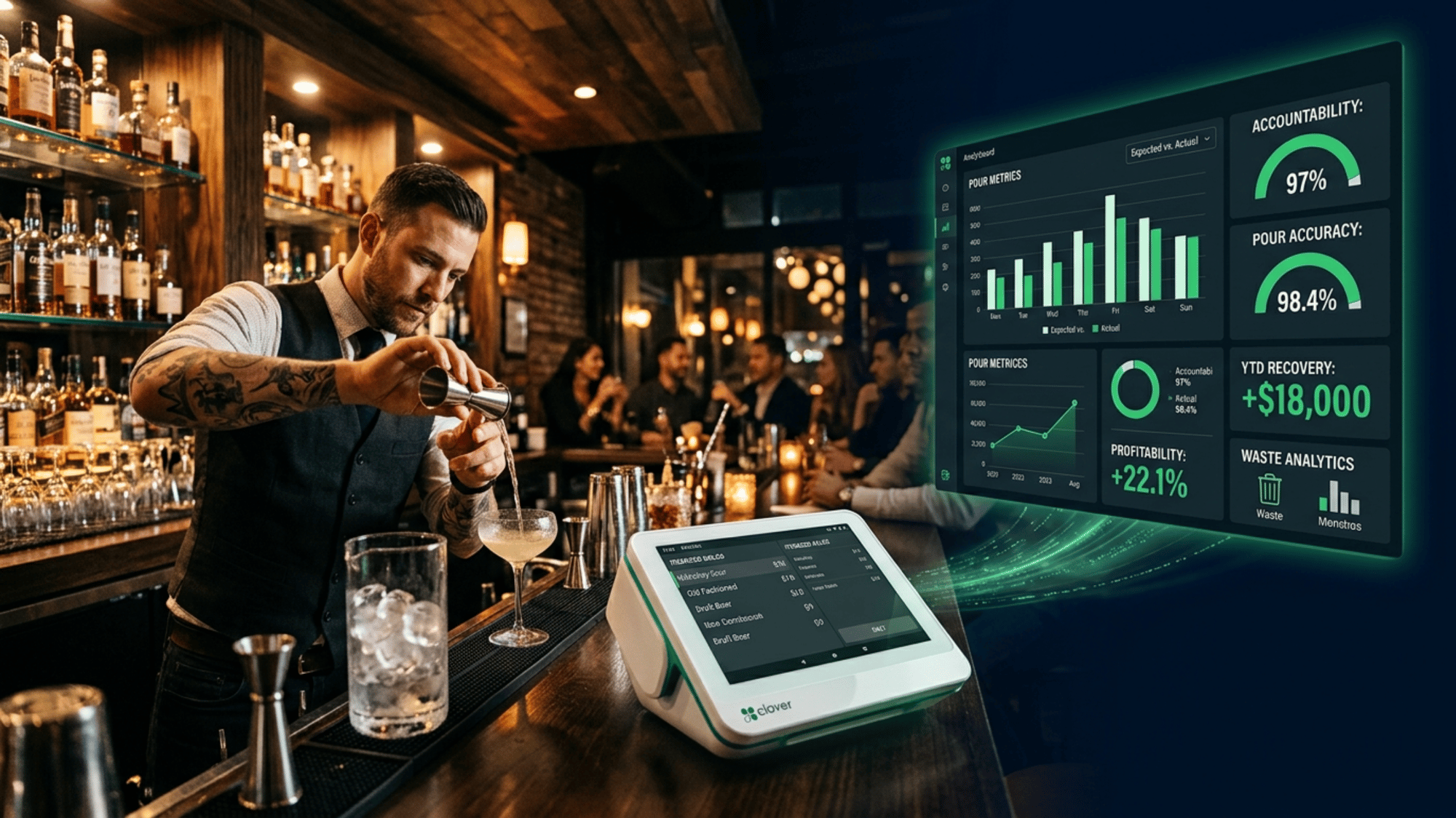
Does Bar-i integrate with Clover POS? Yes. Bar-i connects to Clover POS by importing the itemized Product Mix report from your Clover account. It compares every recorded sale against your physical bar count (measured to 0.1 oz) to calculate exactly how much poured product was not rung up — and puts a dollar figure on that loss. Bar-i already has a Clover extraction profile built in — no specific technical setup steps are required.
Why This Integration Matters
Clover is one of the most versatile point-of-sale platforms in the bar industry — fast, reliable, with a rich app marketplace and strong payment processing built in. But every POS system, including Clover, shares the same structural blind spot: it tracks what was sold at the register, not what was poured behind the bar.
The industry average bar shrinkage rate is 15–20% of gross bar revenue. That means a bar doing $40,000/month in liquor sales loses between $6,000 and $8,000 every month to untracked pours, over-pouring, and theft — and none of it shows up in Clover's reports.
Bar-i closes that gap. By connecting your Clover sales data to physical inventory counts measured in tenth-of-an-ounce precision, Bar-i produces an accountability score for every product in your bar — and tells you exactly what your losses are costing you in dollars. The precision shows you where to focus efforts to increase profitability.
What Is This POS System?
Clover is a POS and business management platform owned by Fiserv, one of the world's largest financial technology companies. It's widely used in bars, restaurants, and retail across the US.
Key Clover features that matter for bars:
- Customizable bar tab and split-check processing
- Fast transaction speed for high-volume service
- Flexible modifier system for complex cocktail orders
- App marketplace including loyalty, scheduling, and analytics
- Detailed Product Mix reporting by item, category, and time period
- Robust handheld devices for tableside ordering & payment convenience
Clover's Product Mix report — which shows every button pressed, every quantity sold — is the sales data input that drives Bar-i's accountability analysis.
How the Bar-I Integration Works
Step 1: Count with higher speed AND accuracy
Your team uses Bar-i’s counting app with Bluetooth precision scales (accurate to 0.1 oz) and a wireless barcode scanner to weigh and count every bottle in your bar. Bar-i maps your shelves virtually so staff can count in physical order. After system setup, you only need to scan items that have moved.
Step 2: Export Clover Product Mix
Export the itemized Product Mix report from your Clover Dashboard for the count period. This shows how many times every button was pressed, so Bar-i can precisely calculate the quantity of each product sold.
Step 3: Map Recipes in Bar-i
Bar-i’s account team maps every Clover button to a specific recipe according to your glassware sizes, pour sizes, and signature drink recipes. A ‘Gin & Tonic’ button becomes 1.5 oz of gin — we track the spirits, not the mixers. Every significant modifier is captured.
Step 4: Receive Accountability Report
Bar-i calculates: Clover Sales × Recipe Portions = Expected Consumption. Physical Count = Actual Consumption. The gap — your accountability variance — is reported per product, per period, in oz and in dollars at wholesale cost. When you can specifically identify where you are losing money and how much it's costing you, you know where to focus efforts. That's the benefit of true "down-to-the-serving" beverage inventory.
Key Features
Fast, Accurate Counting — Down to the Serving
Bar-i processes inventory up to 5× faster than manual clipboard counting. A typical bar with 200 SKUs may have 400 to 500 product positions to count — and this can be done in under an hour.
0.1 oz Open Bottle Precision
Bluetooth scales eliminate the guesswork of visual estimation on partial bottles — the single biggest source of inaccuracy in traditional bar inventory.
Level 3 Analysis
Bar-i precisely compares what was sold through the point of sale with what was poured via physical counts and invoice integration. For every product you purchase, you can see exactly how many ounces are missing, what percentage is missing, and the dollar value of that variance — reported by product, per period.
Dedicated 1-on-1 Success Agent
Pro subscribers receive a dedicated account manager who sets up and maintains your Clover recipe library, reconciles invoices, and delivers weekly written recommendations based on your specific data.
Achievable vs. Actual Pour Cost
Bar-i shows you what your pour cost should be, given Clover's sales data — and what it actually is. That gap is your weekly recoverable profit.
Real Results: The Numbers
|
Metric |
Industry Average |
Bar-i Clients |
|
Bar Shrinkage Rate |
15–20% |
As low as 2% |
|
Liquor Cost Reduction |
— |
3–5 percentage points |
|
Bar Profit Improvement |
Baseline |
Average +30%* |
|
Inventory Count Speed |
80–120 items/hr |
300–500 items/hr |
|
Physical counting time (inc. recording) |
2–4 hours |
Under 1 hour |
A bar doing $40,000/month in bar sales that sees a 3-point pour cost reduction saves $1,200/month — $14,400/year — from Bar-i’s accountability system alone. Most bars experience a return on investment of at least 3 times the cost of the system — and often as high as 10 times.
Who Is This Integration For?
- Bars and restaurants on Clover generating $40,000+ in monthly bar sales (and we have other options for lower volume venues)
- Full-service restaurants with a significant cocktail and spirits program
- Multi-location operators running Clover across venues who need per-venue accountability analysis and oversight
- Owners who suspect shrinkage but cannot identify which products or shifts are causing it
- Bar managers who want professional-grade accountability analysis without hiring a full-service inventory firm
Pro Tips for Bar-i + This POS
Pro Tip #1: Map Clover POS Buttons and Modifiers Before You Go Live
Before setup, review your Clover button and modifier structure with your Bar-i account manager. Generic modifier buttons — such as ‘double’ — reduce analysis precision. Your account manager will help reprogramme vague buttons so that each item has its own specific button, and generic modifiers are replaced with product-specific ones. For example, instead of a ‘double’ modifier on a ‘Tito’s Vodka Soda’ button, create a separate ‘Tito’s Double’ button. More specific Clover buttons = more accurate accountability scores.
Pro Tip #2: Intelligent Inventory Scheduling
Choose your inventory day based on your delivery schedule and manager schedule, so that counts are performed when inventory is at its lowest and staff have time to focus. Run double checks immediately after counts so staff can learn where they are making errors, correct results in real time, and benefit from increased accuracy over time through a structured feedback loop.
Pro Tip #3: Run a Spot Count When Variance Spikes
If Bar-i shows a sudden spike in variance for one product or a subset of products, don’t wait for the next regular cycle. Run a focused spot check on 5 to 10 items on individual days or shifts. Catching a problem mid-period prevents further loss and motivates staff to maintain high accountability scores.
Pro Tip #4: Set Performance Tiers
Bar-i quantifies losses in precise terms — for every product category and the bar overall, you can see percentage losses, the dollar value of losses, and exactly which products are underperforming. Use this data to set performance tiers where the accountability score achieved each period determines outcomes: rewards for high performance, and specific corrective actions when results fall short.
Pro Tip #5: Use Results to Align Manager Incentives
Bar-i’s detailed reporting allows you tobase manager bonuses and incentives on actual bar performance — combining accountability score with execution quality. By aligning manager incentives with bar performance, managers are motivated like owners and have the data they need to lead staff toward a more profitable beverage program.
Frequently Asked Questions
Q: How does Bar-i integrate with Clover POS?
A: Bar-i imports Clover's itemized Product Mix sales report for each inventory period. Your team exports this from Clover and uploads it to Bar-i, where the account team maps each Clover button to a recipe with precise pour sizes and runs the accountability comparison.
Q: Does Bar-i detect theft through Clover?
A: Yes. By comparing what Clover recorded as sold to what physically left your bar stock, Bar-i identifies unexplained product loss where the amount poured is greater than the amount sold. The system allows you to audit the calculations to verify accuracy and focus efforts on real problems. Losses are quantified in dollars — giving management the data needed for investigation.
Q: How long does Clover integration setup take?
A: Bar-i is already integrated with Clover — uploading your point of sale data takes less than a minute. Bar-i’s account team handles recipe mapping for your full menu and typically takes 1–2 business days, depending on menu complexity. This includes standard pours, glassware, signature drink recipes, and batches, as well as consulting to update your point of sale programming so you get maximum value from the integration.
Q: Is the Clover integration included in Bar-i's price?
A: Clover POS integration is included with Bar-i’s Pro subscription plan at no additional cost.
Q: What's the minimum bar revenue for Bar-i to be cost-effective with Clover?
A: Bar-i recommends the Pro plan for bars doing $40,000+ in monthly bar sales. At that volume, a typical 3-point liquor cost reduction saves $1,200/month — substantially exceeding the subscription cost.
Q: Can Bar-i work with multiple Clover locations?
A: Yes. Each Clover location is managed as a separate Bar-i venue with individual accountability analysis. Bar-i’s flexible services model means the level of support, data entry, and analysis can be tailored for each venue on a flexible basis as volume, performance, and staff turnover dictate. The oversight role is initially managed by Bar-i account managers but can be transferred internally, with separate logins and software permissions for those providing oversight.
Q: What accountability score should I aim for?
A: Bar-i clients who implement the system's recommendations consistently achieve 95%+ accountability scores. Industry baseline (without accountability measurement) typically runs 80–85%. So the percentage missing at a typical bar falls from 15% of what's poured to less than 5%.
Conclusion
Your POS system tells you what was sold. Bar-i tells you what that means for your costs — with 0.1 oz precision, serving-level accountability, and weekly expert analysis that reduces shrinkage from 15–20% to as low as 2%.
The average Bar-i client improves bar profitability by 30% within the first few months of operation. That's not a feature — it's what happens when you finally know exactly what your bar is losing and have the data to stop it.
Book a free Bar-i demo at bar-i.com

-1.png)